
Description:
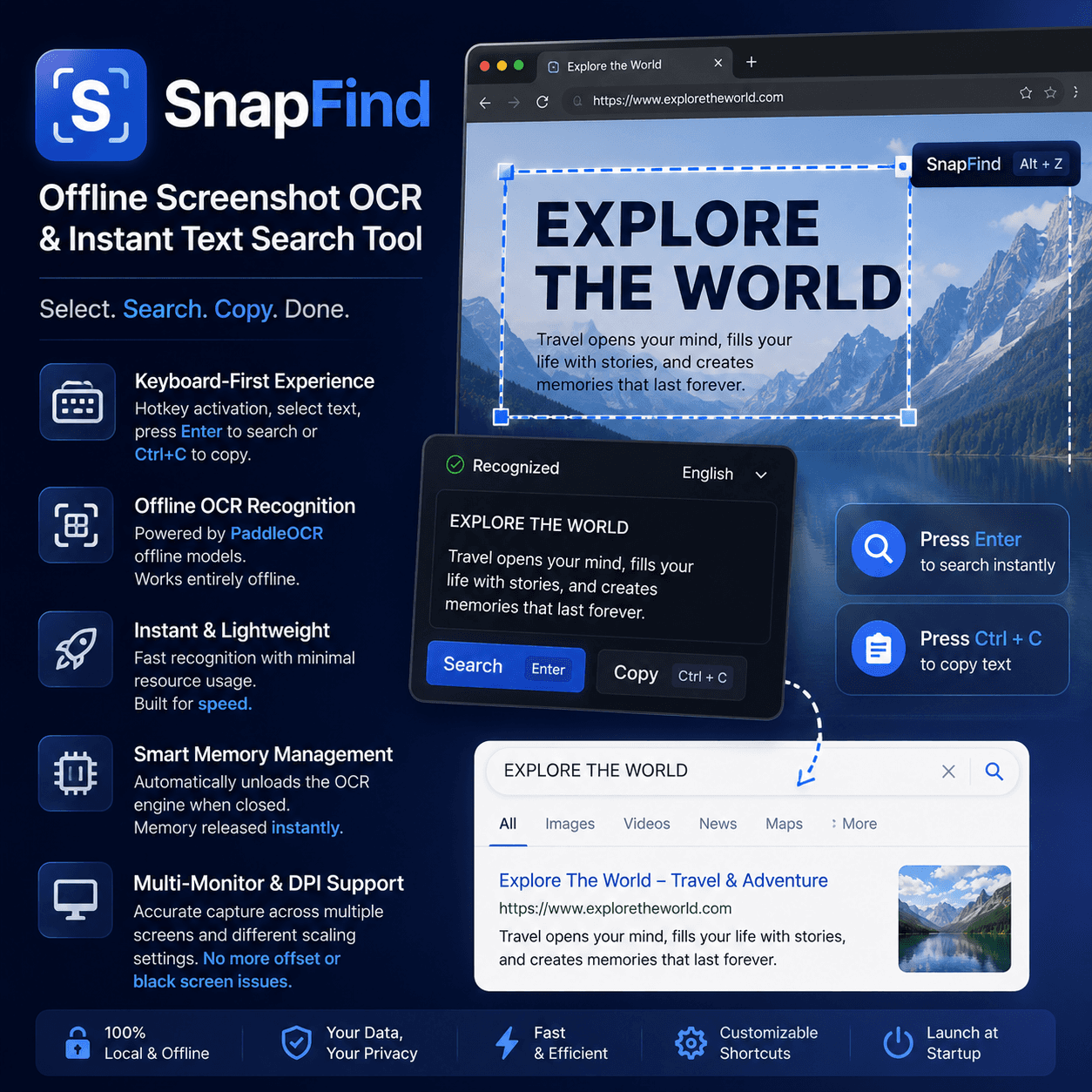
SnapFind is a fast and lightweight offline OCR tool designed to simplify text extraction and instant searching from webpages, images, videos, and other on-screen content.
Instead of manually selecting text, copying it, opening a search engine, and pasting the content, SnapFind lets you activate the tool with a hotkey, select the target area, and quickly search the recognized text with Enter or copy it with Ctrl+C. The entire workflow is designed to be fast, clean, and efficient.
What You’ll Get:
- Fast screenshot OCR text recognition
- Keyboard-first workflow for faster operation
- Hotkey activation and customizable shortcuts
- Press Enter to instantly search recognized text
- Press Ctrl+C to quickly copy extracted text
- Fully local and offline OCR processing
- PaddleOCR-based offline recognition engine
- No internet connection required for OCR
- Automatic memory release after closing the OCR window
- Multi-monitor compatibility
- High-DPI display support
- Accurate screenshot positioning across different scaling settings
- Reduced risk of cross-screen capture offset and black-screen issues
- Optional launch at Windows startup
Deliverables:
- Offline screenshot OCR functionality
- Instant on-screen text extraction
- Quick text search workflow
- Clipboard-ready OCR text output
- Local OCR processing environment
- Multi-monitor and DPI-adaptive screen capture
- Customizable keyboard shortcut support
- Windows startup configuration support
- Lightweight resource management
- Fast everyday OCR and text lookup experience




Reviews
There are no reviews yet.